From first contact to a decision you can defend
- 1
Collect data
Gather what you need from the customer without building a form from scratch.
Verification links, Web SDK, API or bulk CSV - 2
Run the right checks
Pick the checks the customer's risk calls for, from ID and face match to sanctions and device signals.
Run Check - 3
Get one decision
Every result feeds your rules, which score the customer and return one outcome.
Rules Engine - 4
Review and audit
Anything a person should decide lands in a queue, and every step is recorded.
Cases and Verifications
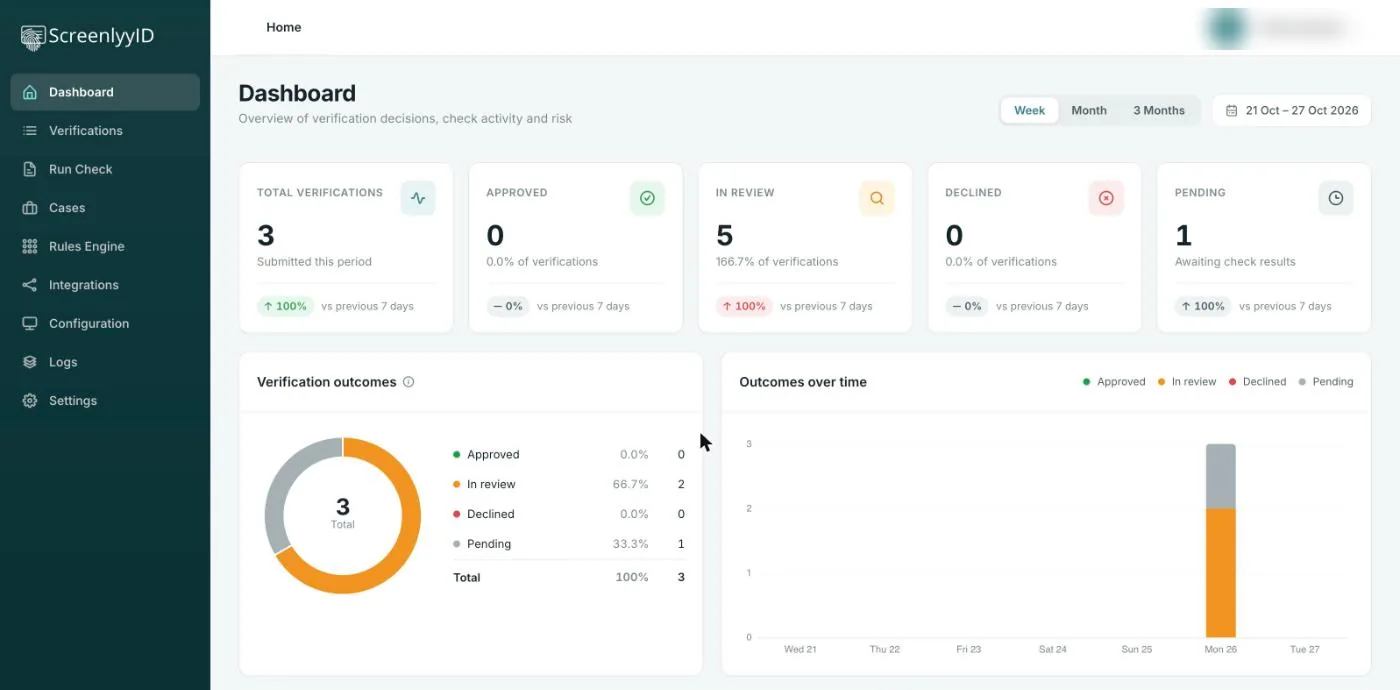
Four outcomes, one place to see them
Instead of reading six separate results, your team gets a single outcome for each customer and the reasons behind it.
Low risk. The customer carries on and shows as Approved in the dashboard.
Something is unclear, so you ask for more evidence or another check before deciding.
A person decides. The verification shows as In review and can be opened as a case.
Too risky to proceed. The verification is declined and the reason is kept.
Three groups of checks, one platform
Use one check or all of them. Each product page covers what it does and how to use it.
Identity
Prove the person is real and is who they say they are.
Compliance
Screen against sanctions, PEP and watchlists and meet your AML duties.
Risk signals
Add device, contact and card signals to every decision.
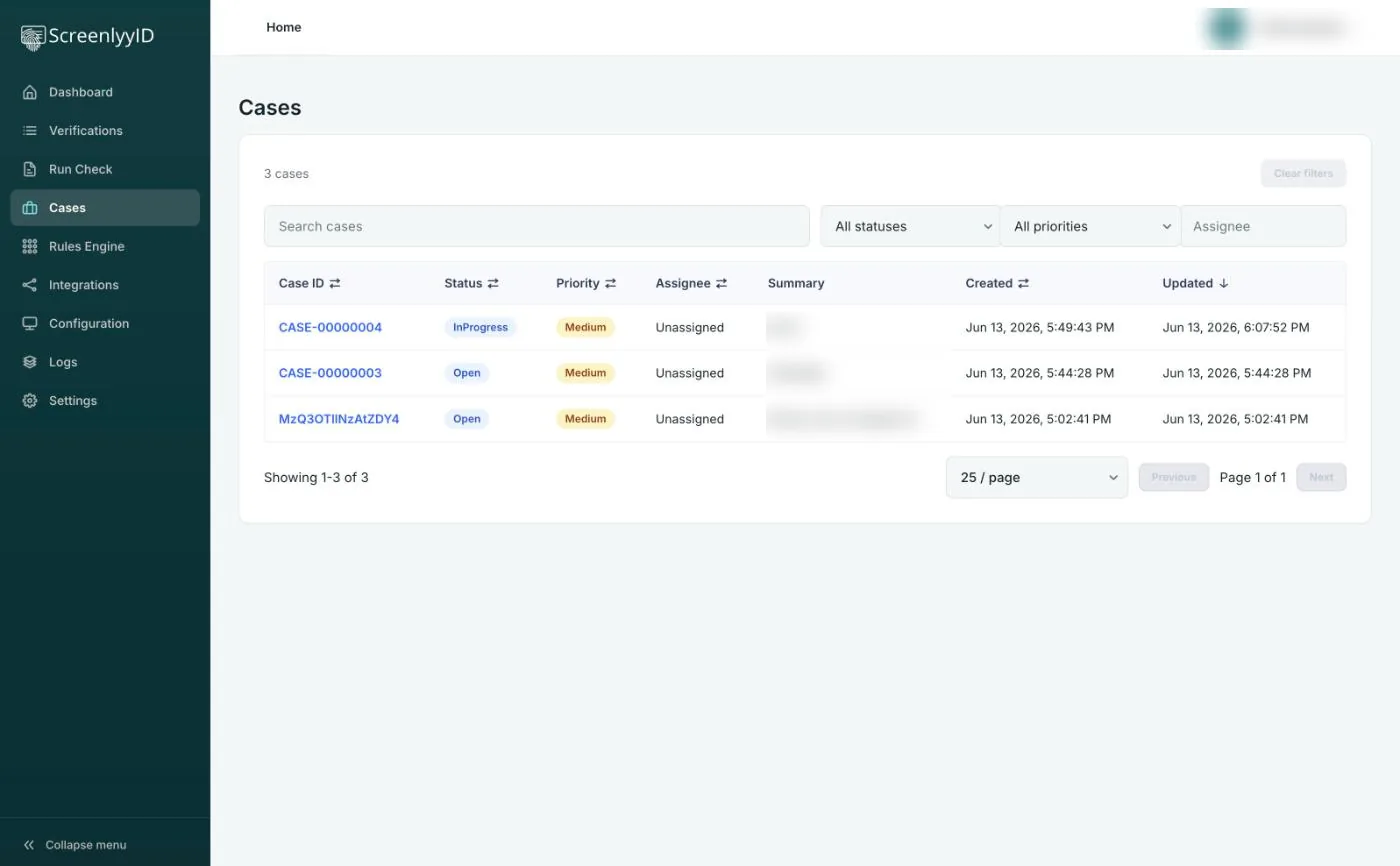
Review what needs a human
Customers your rules flag do not disappear into an inbox. They go to a review queue where your team can see the checks that ran, the rules that triggered, add notes, assign an owner and record the outcome.
- A queue with status, priority and assignee
- Evidence from every check in one place
- Notes and a record of each decision
Four ways to verify, one set of results
Start in the dashboard, then add the options that fit your team. Results land in the same place however a customer is verified.
Dashboard
Run checks by hand, watch outcomes over time, open verifications and manage rules, users and API keys.
No-code links
Create a verification link or QR code and send it by SMS, WhatsApp or email. No engineering needed.
Bulk CSV
Upload a CSV in the dashboard to verify many customers at once. The dashboard includes formatting instructions and a template.
API & SDKs
Build verification into your own product with the REST API and the JavaScript Web SDK. See the API documentation.
Fewer vendors, fewer gaps
One integration
Connect once instead of wiring up a separate provider for ID, screening, address, email, phone and device checks.
One decision
Results are combined by your own rules, so the outcome does not depend on someone reading six reports.
One audit trail
Checks, rule results and review decisions sit together, which makes a regulator's question quick to answer.
One bill
Pay per check on one plan, with a free plan to start. See pricing.
Customers using the platform
Neeyamo
Replaced manual document checks with one multi-region verification flow.
Read the case studyFrontStream
BIN lookup and a risk engine inside its payment gateway to prevent fraudulent transactions.
Read the case studyCranfield Group
No-code links sent by SMS to onboard healthcare professionals, with results in its recruitment system.
Read the case studyFrequently asked questions
What does the ScreenlyyID platform do?
It brings identity verification, KYC and AML screening, and fraud signals into one product. You run the checks a customer needs, your rules combine the results into a single decision, and anything that needs a person goes to a review queue with an audit trail.
Which checks can it run?
Document authentication, biometric face match and liveness, electronic identity verification (eIDV), AML, sanctions and PEP screening, address, email and phone validation, IP and device intelligence, and BIN lookup. See the product pages for each.
How are decisions made?
Each check returns data. Your rules in the Rules Engine score that data, and the total is compared with thresholds you set to give the outcome. Read how decisioning works.
Can I use it without developers?
Yes. You can run checks from the dashboard, send no-code verification links or QR codes by SMS, WhatsApp or email, and upload a CSV for bulk verification. The API and Web SDK are there when you want to build it into your own product.
How is pricing calculated?
Pricing is per check, with a free plan to start and paid plans that include a monthly set of checks. See the pricing page for plans and a worked example, or Enterprise for volume pricing.
Run your first check today
Start free, or talk to our team about volume pricing and a walkthrough.